
Now Reading: DJI Avata 360 drone review
-
01
DJI Avata 360 drone review


Key specs
Camera: Two 64MP, 1/1.1-inch CMOS sensors
Video resolution: Up to 8K
Frame rates: 8K 60FPS / 6K up to 60FPS
Battery: 2,700 mAh, up to 23 minutes’ flight
Charger type: USB-C cable/battery charging hub
Modes: Cine, Normal, Sport
Video transmission range: FCC 12.4 miles / CE, SRRC, MIC 6.2 miles
Dimensions: 9.69 x 7.83 x 2.19 in (246 x 199 x 55.5 mm)
Weight: 16.05 oz (455 g)
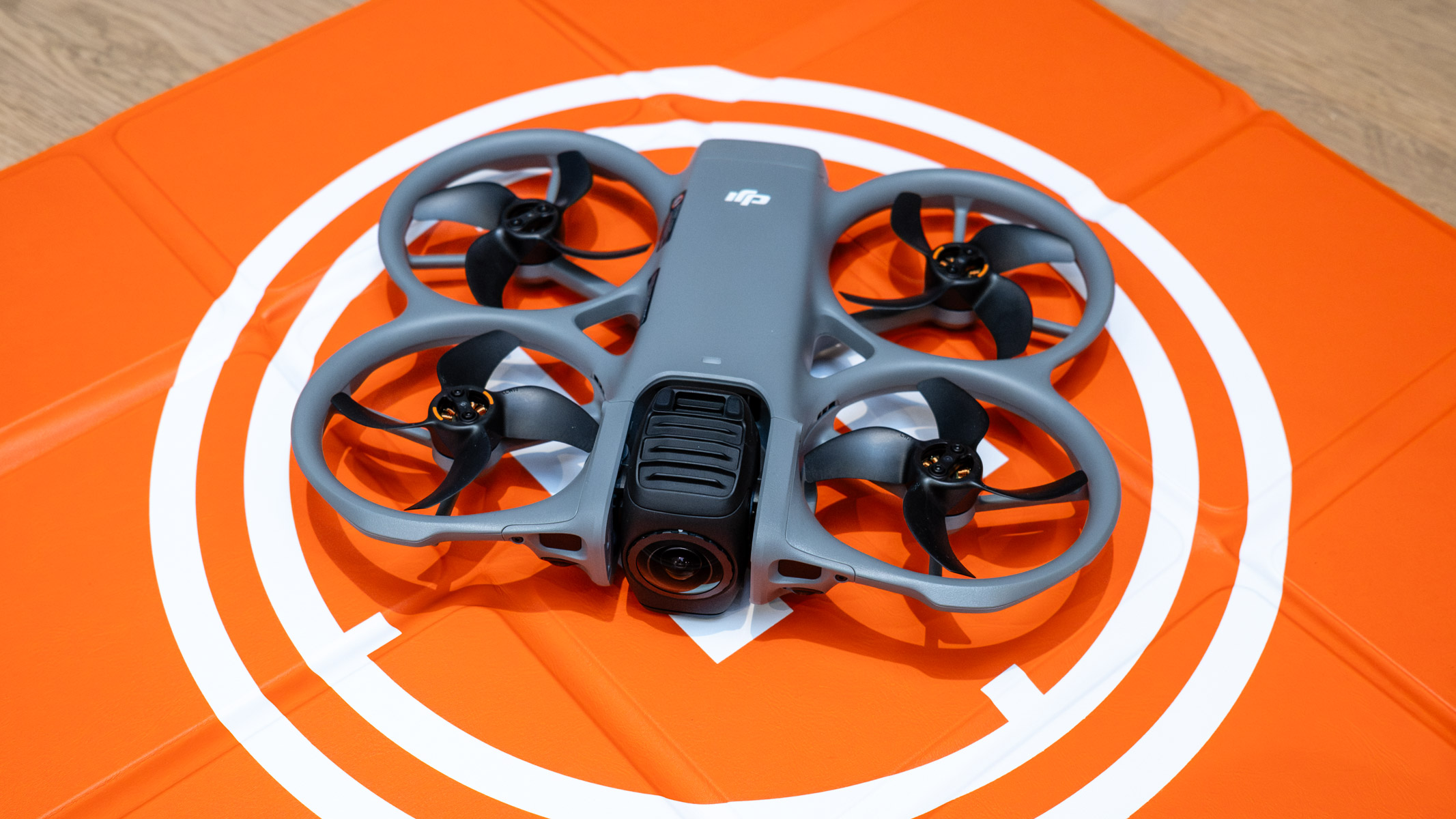
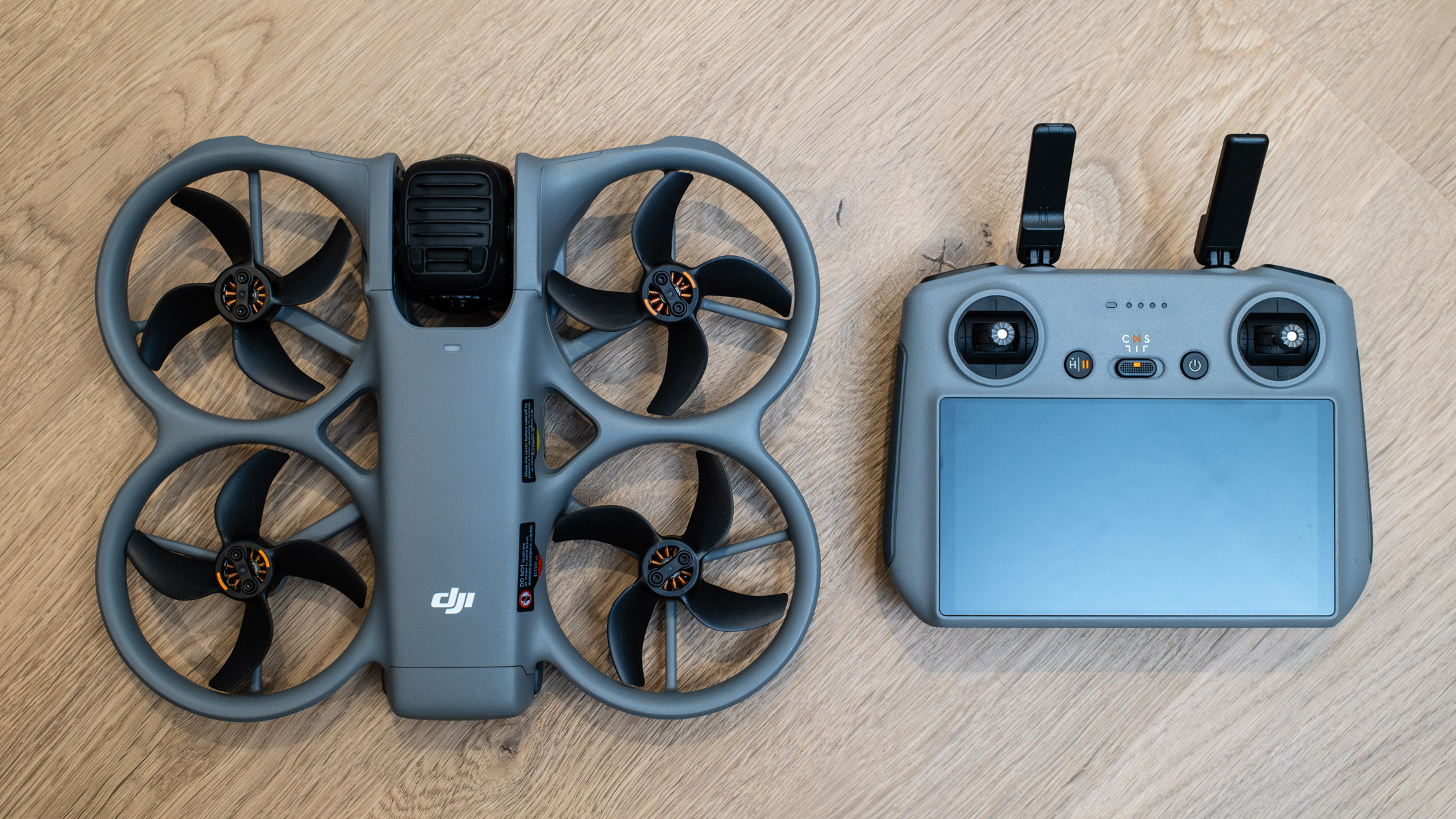
360-degree drones are a relatively new product category, and although DJI was pipped to the post by the Antigravity A1, the market leader has come back swinging with the launch of the DJI Avata 360. This is a drone that looks remarkably like the DJI Neo 2, but it’s a lot bigger and heavier, and its propeller guards enclose the propellers less.
With dual controller options available, including FPV, this could be one of both the best camera drones and the best FPV drones available. The ability to pair the Avata 360 with DJI FPV accessories means that you can capture even more immersive 360-degree video, where you’re flying through a building or weaving through and around trees in a forest. The DJI Avata 360 is currently waiting to be in stock at B+H, Amazon and other retailers.

It’s the ability to shoot first and reframe later that makes 360-degree drones an interesting and attractive option for pilots. What’s more, there’s a single lens shooting mode where you can take advantage of DJI’s impressive subject tracking.
The camera itself rotates at the front of the Avata 360 and features two 64MP 1/1.1-inch CMOS sensors with replaceable lenses. These can capture photos and video up to 8K 60FPS. Image quality is great for 360-degree capture, but it’s not as good as a standard camera drone — as is the case, to be fair, with most 360-degree cameras and drones.
DJI Avata 360: Design
- Non-folding design
- Propeller guards
- Rotating gimbal
As previously mentioned, the Avata 360 looks a lot like the DJI Neo 2, except for the size and the fact that its propeller guards don’t fully enclose the propellers. It’s this cinewhoop FPV design that makes it ideal for flying through complex environments when using the DJI Motion Controller 3 and DJI Goggles N3 for FPV flight. It can also be flown like a camera drone when paired with a standard controller.
At 9.69 x 7.83 x 2.19 inches (246 x 199 x 55.5 mm), the Avata 360 is quite large for a drone with a cinewhoop-style design, and weighs in at 16.05 oz (455 g), putting it well above the 250 g threshold, so it’s more restricted than smaller, lighter drones. Build quality is fantastic, as you’d expect for a DJI drone, while the set-up and operation of the drone are incredibly easy.
Image 1 of 3
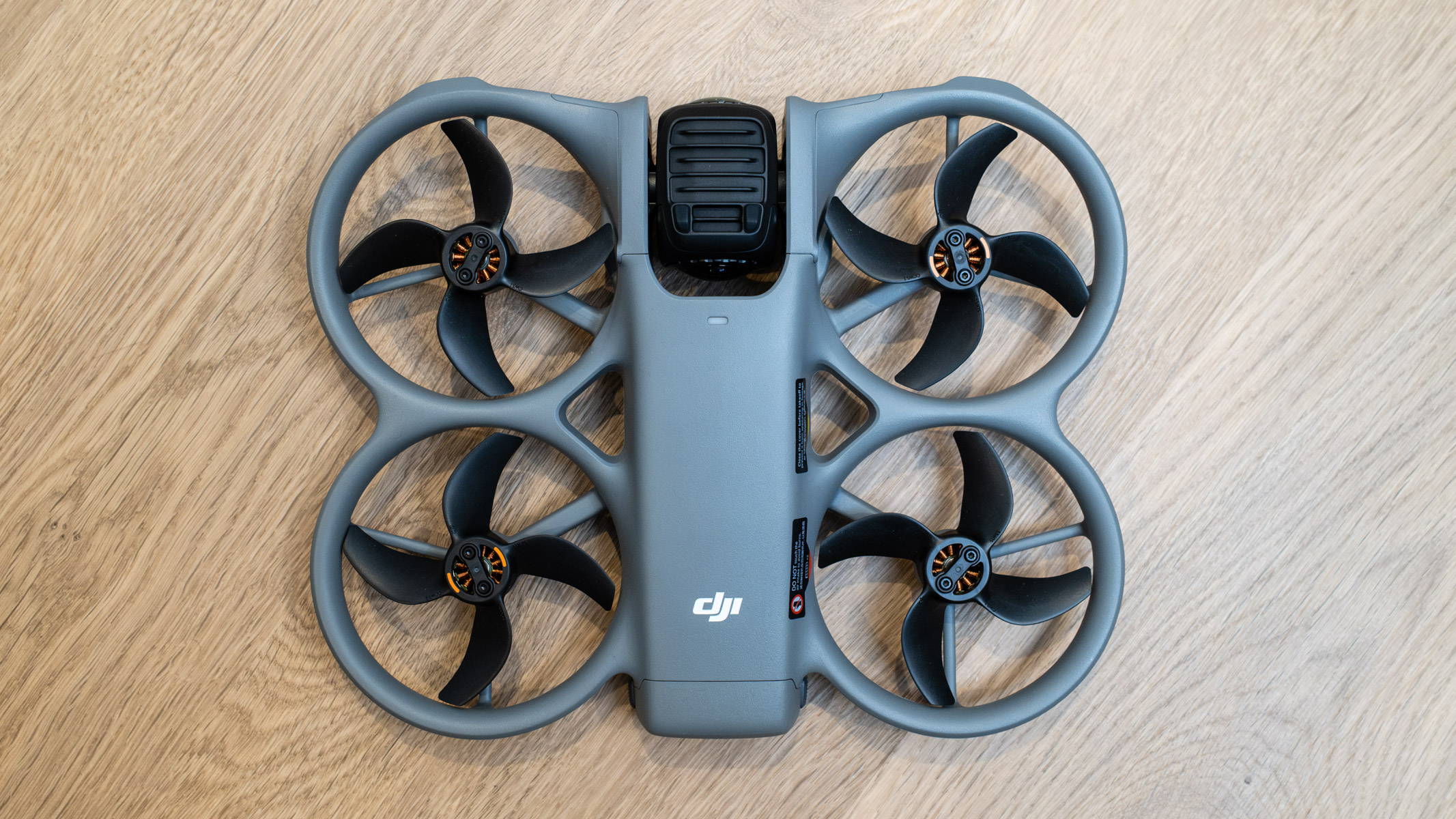
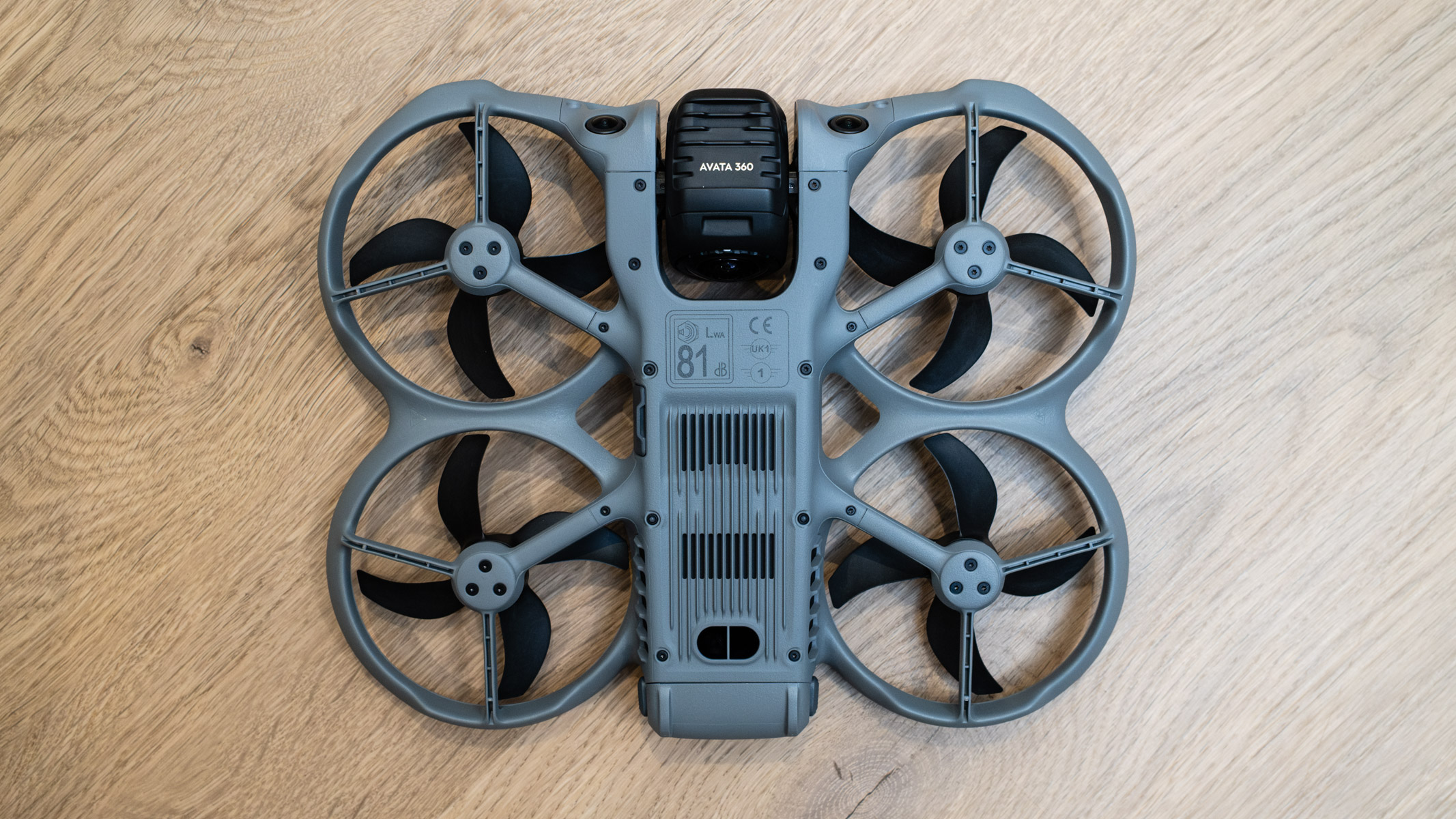
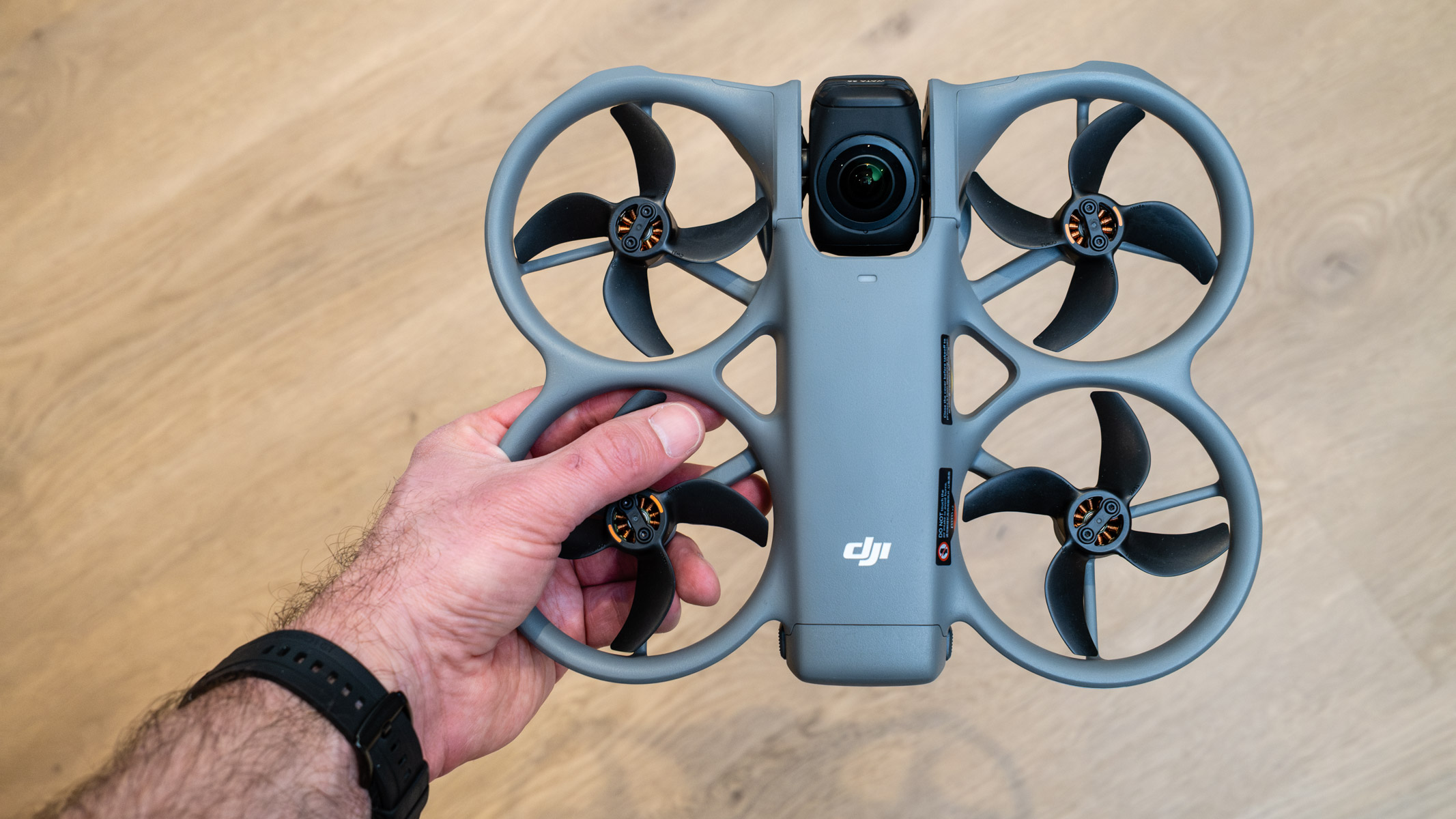
The camera sits at the front of the drone and cleverly rotates when the drone lands and takes off, keeping the lenses off the ground to avoid damage. The lens guards can be replaced if they do get damaged.
This is such a simple yet clever feature, and an improvement on the Antigravity A1’s mechanical legs that extend to keep the bottom camera off the ground. Image stabilization is software-based rather than relying on a mechanical gimbal.
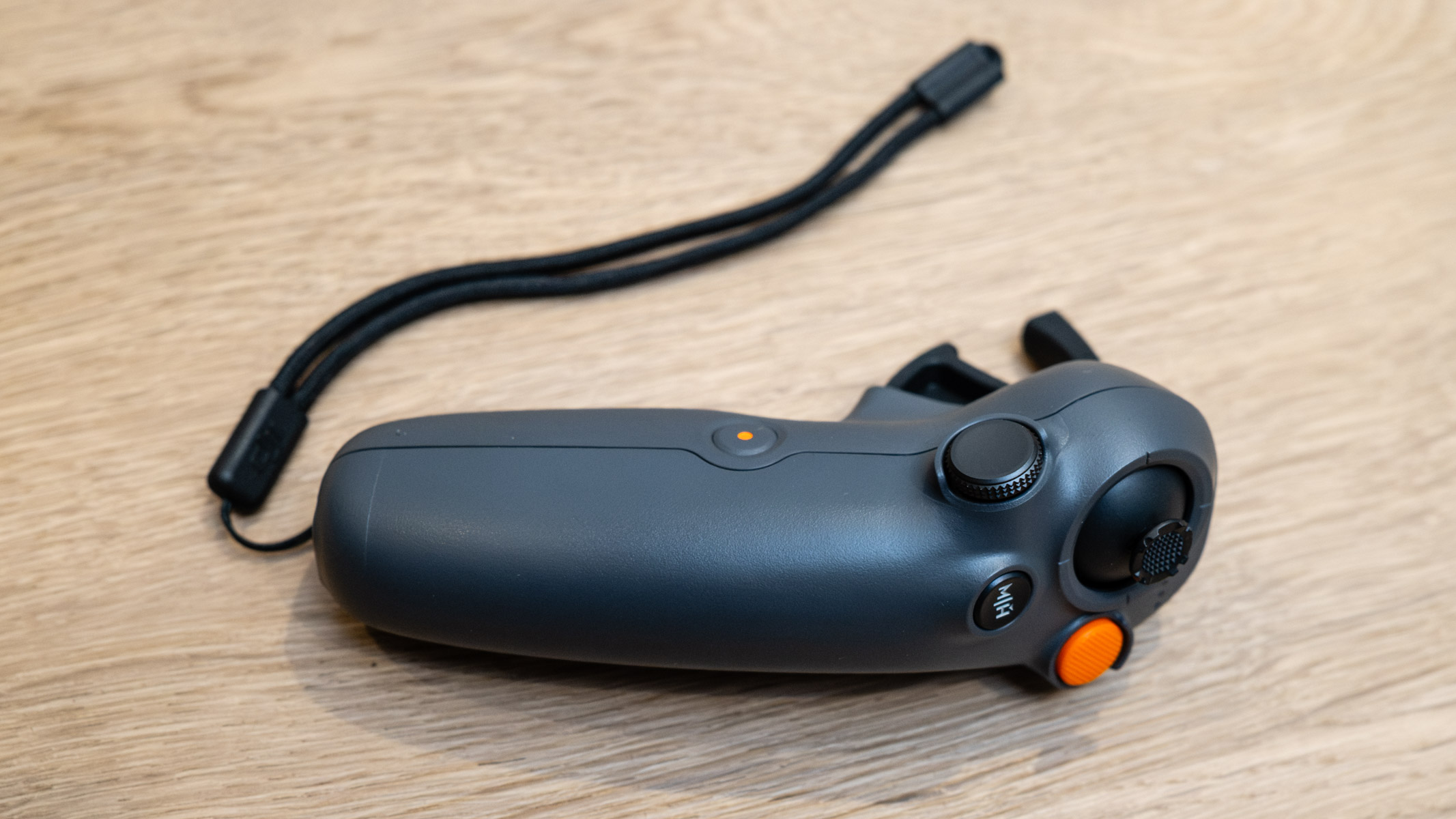
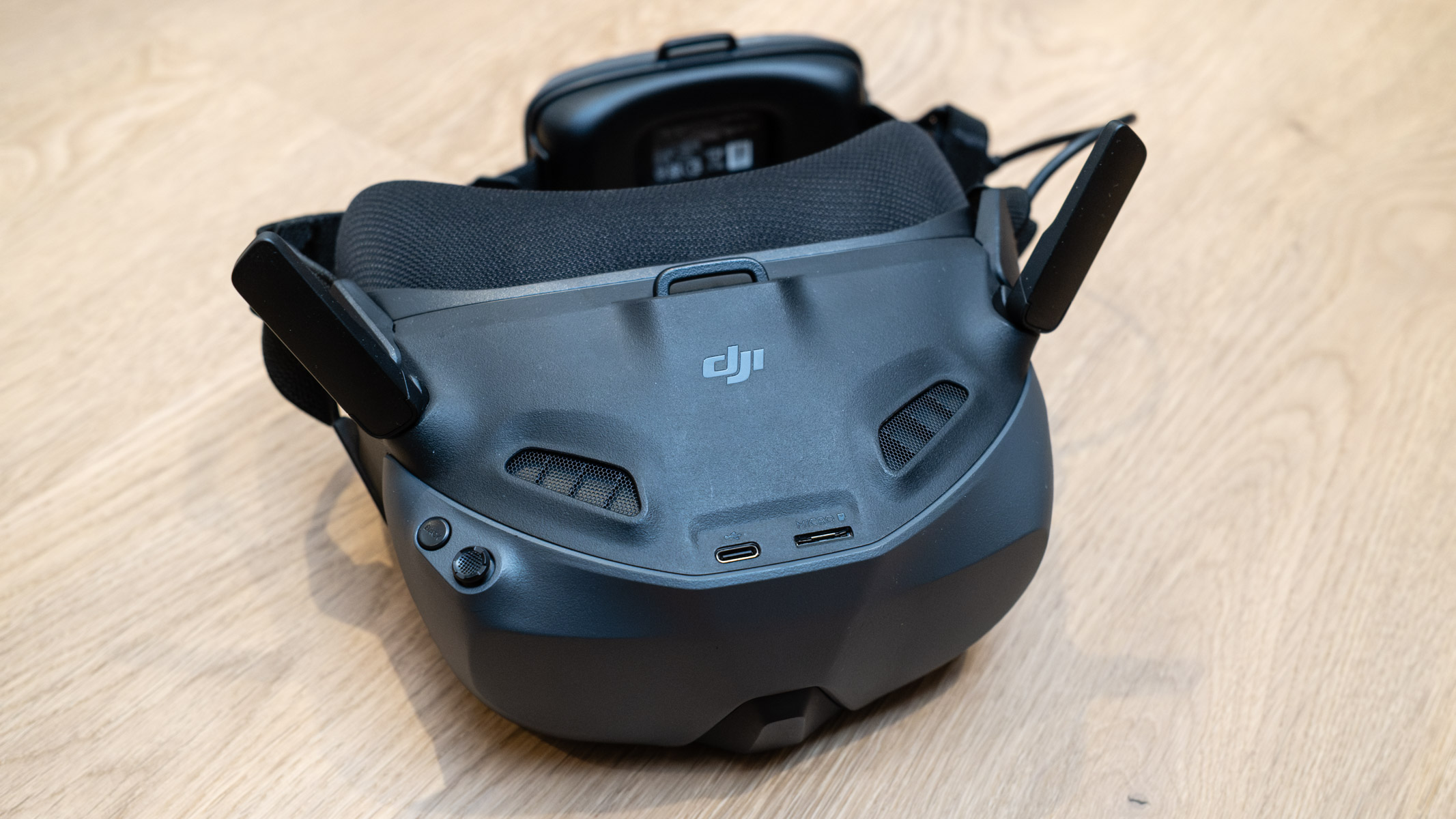
The Avata 360 is compatible with multiple controllers, including the RC 2, RC-N2 and RC-N3. This means that if you already own a compatible controller, you could use that instead of buying a kit that includes either the DJI RC 2 smart controller or the DJI Motion Controller 3 and DJI Goggles N3.
Both of these were provided with the review kit, so it was possible to test the Avata 360 as both a camera drone and an FPV drone. The latter was both a lot of fun and provided the ability to capture more dynamic and immersive video footage. DJI’s Motion controllers are incredibly intuitive and make FPV flight accessible to everyone.
DJI Avata 360: Functionality
Image 1 of 3
- Subject tracking
- Collision avoidance
- 42GB of internal storage
The Avata 360 flies well using either standard controls or FPV goggles and a motion controller. Using a standard controller is much simpler and doesn’t require a spotter to keep an eye on the drone during flights, but pairing it up with FPV accessories is about as simple as it gets — compared to traditional FPV drones, anyway.
The drone features collision avoidance, which can be switched off but provides confidence when flying in complex environments. During testing, this was switched off when flying FPV in a forest to ensure smoother flight, although this naturally carries more risk.
Alongside collision avoidance, there’s also ActiveTrack, which has multiple modes that are selected automatically. Standard mode maintains a steady distance and altitude relative to the subject, while Cycling mode provides greater speed and faster turns to keep the subject in frame. Then there’s Intelligent Tracking, where you can lock onto and track subjects in the DJI Fly and DJI Studio apps.
The main difference between 360-degree drones and traditional camera drones is that you have to edit and reframe photos and videos before sharing them. You take the 360-degree image and essentially flatten it to a single, traditional view. Where things get interesting is that you can add camera movements using keyframes and make the drone appear to flip and roll.
DJI Studio is fairly easy to use, but it is also clunky, and there is a small learning curve. In all honesty, you will spend much more time using the DJI Fly and DJI Studio apps to reframe photos and videos than you’ll spend flying the drone; this is the main downside to using any 360-degree camera or drone, compared to standard cameras and drones.
Photos and videos can be saved to a microSD card or to the drone’s 42GB of internal storage. The internal storage is certainly useful because 8K 360-degree video requires a lot of storage, and this internal storage can supplement your microSD when necessary. However, with this in mind, somewhere in the region of 100GB of internal storage would have been preferable.
DJI Avata 360: Performance
- Dual cameras
- Up to 8K 60FPS video
- Photos and videos require editing

The Avata 360 creates its 360-degree image using two 64MP 1/1.1-inch CMOS sensors with ultra-wide-angle lenses. These have an f/1.9 aperture with focus from 1.5m to infinity.
You can set exposure manually, but leaving the camera set to Auto works extremely well when capturing 120MP photos and videos up to 8K at 60FPS. Shooting in Auto isn’t usually a good idea when capturing video, but with 360-degree drones, where you’re essentially capturing everything, it makes life so much easier. What’s more, you can’t use ND filters to control shutter speed anyway.
Image quality is what you’d expect from a 360-degree camera or drone, so no surprises here. It’s not as good as a standard camera drone, although the Avata 360 does have a single lens mode where you can capture 4K 60FPS video that doesn’t need to be reframed — just like a standard camera drone.
Once your 360-degree footage and photos have been transferred wirelessly from the drone, they need to be edited and reframed, either in DJI Studio on a computer or in the DJI Fly app. This is the main downside to 360-degree capture, but also its greatest advantage: Being able to add movement to videos, changing camera angle and adding effects while reframing photos, is both useful and creative.
Please note: Footage to come soon. It was shot in 8K, but our video player only plays in HD.
Video can be captured at up to 8K 60FPS in either the Normal color profile for straight out of camera footage, after reframing, or in the 10-bit D-Log M flat color profile. This color profile requires color grading and provides much greater image quality and flexibility within an advanced and/or professional workflow.
DJI Avata 360: Price
The DJI Avata 360 comes in at a highly aggressive price point when compared to the competition. So, while DJI may not be the first drone manufacturer to produce a 360-degree drone, consumers in all regions — except the United States, where there’s currently a DJI ban — can now choose between two models, and the Avata 360 is less expensive than the competition and has different controller options.
Drone-only, the Avata 360 costs £409 / €459 / AU$799, while the option with the DJI RC 2 smart controller costs £639 / €719 / AU$1159. There are also two Fly More Combos that include a couple of additional batteries, a carry bag, a battery charging hub and other accessories. The DJI Avata 360 Fly More Combo (DJI RC 2) and the DJI Avata 360 Motion Fly More Combo both cost £829 / €939 / AU$1619. The latter includes the DJI Motion Controller 3 and DJI Goggles N3.
Should you buy the DJI Avata 360?
As 360-degree drones go, the DJI Avata 2 is incredibly well-priced compared to the Antigravity A1 and is so much more agile, thanks to its FPV credentials. Image quality is similar in many respects, but the ability to shoot in the flat D-Log M profile does give the Avata 360 the edge here.
The ability to fly the Avata 2 either as a standard camera drone with a smart controller, or as an FPV drone with the Motion Combo, is also fantastic. Having the ability to choose one controller option, or even both, will undoubtedly make it attractive. The only downside to flying a drone when wearing FPV goggles is that you must have a spotter/observer with you when flying outdoors.
If this drone isn’t for you
The Antigravity A1 follows a camera drone design but is controlled using a motion controller and FPV goggles. It has a great FPV flight mode for capturing smooth, sweeping videos, and the automated flight modes are also impressive.
The DJI Neo 2 is an inexpensive selfie drone with impressive autonomous flight modes and subject tracking. Like the Avata 360, it can also be flown as a camera drone and an FPV drone when paired with the right DJI accessories.
If you’re looking for a fully fledged FPV drone, but one that can be incredibly easy to fly, the DJI Avata 2 is a great choice. Unlike traditional FPV drones, this one can hover and be paired with DJI’s Motion Controller 3.










Related Posts

Stay Informed With the Latest & Most Important News
Previous Post
Next Post


Advertisement
-
 01Two Black Holes Observed Circling Each Other for the First Time
 -
 02From Polymerization-Enabled Folding and Assembly to Chemical Evolution: Key Processes for Emergence of Functional Polymers in the Origin of Life
 -
 03Astronomy 101: From the Sun and Moon to Wormholes and Warp Drive, Key Theories, Discoveries, and Facts about the Universe (The Adams 101 Series)
 -
 04True Anomaly hires former York Space executive as chief operating officer
 -
 05Φsat-2 begins science phase for AI Earth images
 -
 06Hurricane forecasters are losing 3 key satellites ahead of peak storm season − a meteorologist explains why it matters
 -
 07Binary star systems are complex astronomical objects − a new AI approach could pin down their properties quickly